Driver Control Unit Touchscreen (DCU)
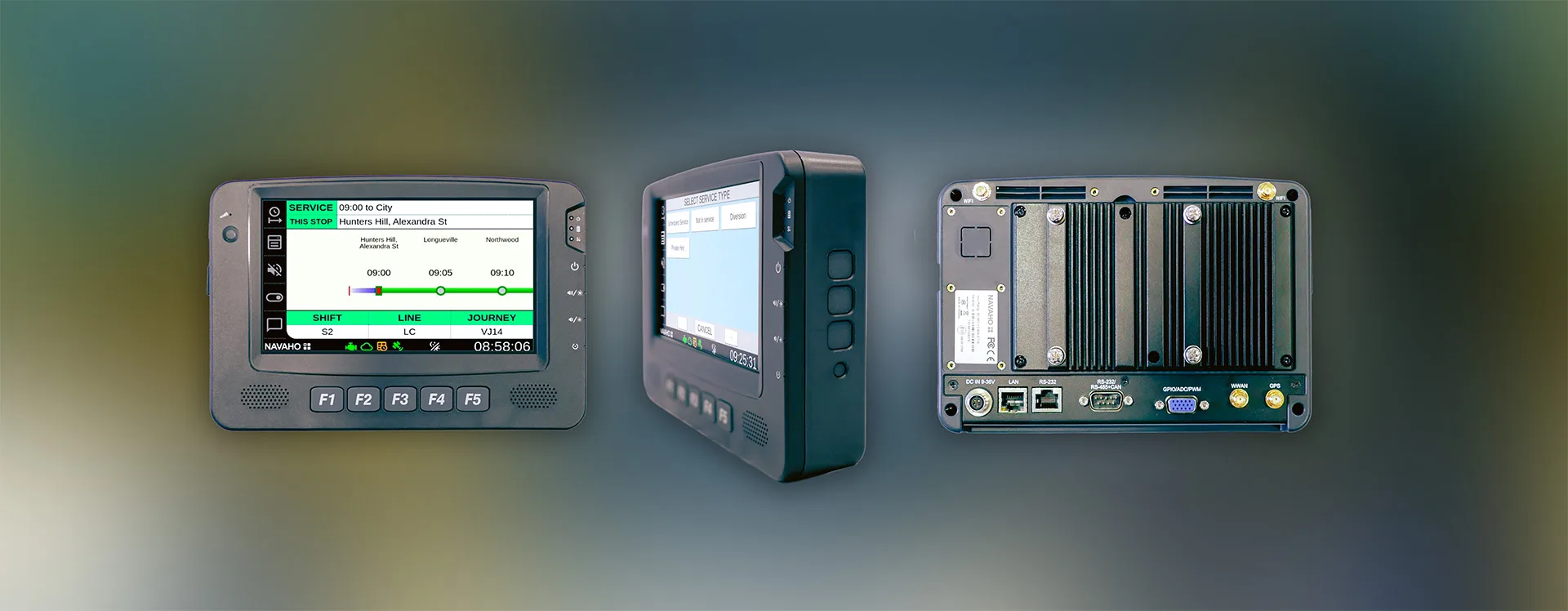
A central operational hub for bus drivers, giving crew members complete control over onboard passenger information, digital destination blinds, and audio announcements.
Featuring a compact, ruggedised build and an intuitive touch interface, the DCU streamlines route selection, automates journey tracking, and ensures passengers receive clear, accurate information at every stop.
Hardware Specifications
Engineered specifically for demanding transit environments, the DCU combines industrial durability with high-visibility display performance:
| Feature | Specification |
| Display Panel | 7-inch TFT LCD with LED backlight |
| Resolution & Brightness | 1024 x 600 pixels, 1000 cd/m high-bright sunlight readability |
| Touchscreen | 4-wire resistive touch with anti-glare coating |
| Processor & Memory | Intel Atom Dual-Core(1GHz), 2GB DDR5 RAM, 32GB Storage |
| Enclosure & Protection | IP54 front panel rating, fanless design, PC+ABS plastic with die-cast aluminium heatsink |
| Dimensions & Weight | 213(W) x 145(D) x 50.0(H), 1.5kg |
| Audio & Inputs | 2 x built-in 2W speakers, internal Mic-in, light sensor |
| Connectivity & Power | M12 LAN port, 4 x SMA antenna connectors (Wi-Fi/WWAN/GPS/BT), 9V DC ignition power |
| Operating System | Navaho Embedded Linux (navelin) |
Key Features & Driver Functionality
⚬ Intuitive Touch Interface: Simple, icon-driven screen layout lets drivers select running boards, shifts, and journeys with minimal taps.
⚬ Automatic Journey Continuation: Once a driver inputs their initial shift ID, subsequent scheduled journeys advance automatically using live GPS tracking.
⚬ Live Route & Tracking Visuals: Features a real-time route ladder showing current and upcoming stops, scheduled arrival times, and visual indicators to confirm the bus is running on time.
⚬ Instant Service Selection: Rapidly switch screen modes for non-scheduled operations, including Not in Service, Diversion, Private Hire, or Rail Replacement.
⚬ Programmable Function Keys (F1–F5): Dedicated tactile buttons allow fast access to core actions:
- F1: Route / Journey Selection
- F2: Service Type Presets
- F3: Night / Dark Mode (dimmable display for safe night driving)
- F4: Blank Screens / Company Logo
- F5: Quick "Thank You" Passenger Alert
⚬ Manual Audio & Safety Alerts: Allows drivers to trigger instant audio announcements, such as safety reminders or service delay alerts.
⚬ System Status Indicators: Real-time status icons monitor vehicle health, internet connection, GPS lock, timetable feeds, and Electronic Ticket Machine (ETM) links at a glance.
Empower your drivers with streamlined fleet controls
Contact Navaho today to request a demonstration of the DCU touchscreen platform.